
Download Windows 8 USB Installer Maker – Windows 8 USB Installer, Bootable USB, ISO to USB, Windows 8 Installer Tool
Overview
Windows 8 USB Installer Maker is a specialized utility designed to simplify the creation of a bootable USB installer for Windows 8 using an ISO image file. This tool addresses a common challenge faced by users who need to install or reinstall the Windows 8 operating system on a computer without relying on optical media. By converting a standard USB flash drive into a bootable installation device, the application enables seamless system deployment across various hardware platforms.
The tool is particularly useful for IT professionals, system administrators, and individual users managing multiple machines or performing OS recovery tasks. Its core function—transforming a USB drive into a reliable installation medium—solves the problem of limited access to DVD drives and the inconvenience of physical media. The utility streamlines a technically complex process into a few straightforward steps, reducing the risk of errors during installation preparation.
Developed by Jason A. Bilbrey, the application reflects a focused approach to solving a niche but essential need in the Windows ecosystem. Although the developer did not provide additional technical details about the tool’s architecture or development history, its functionality is clearly defined and purpose-driven. Real-world use cases include system reinstallation after hardware failure, deploying Windows 8 across multiple devices, and troubleshooting boot issues. In the broader context of software utilities, this tool occupies a vital role by enabling offline, portable OS deployment.
Key Features & Functionality
Windows 8 USB Installer Maker delivers a suite of targeted features that collectively ensure the successful creation of a bootable USB installer. Each function is designed to address a specific technical requirement in the OS installation workflow.
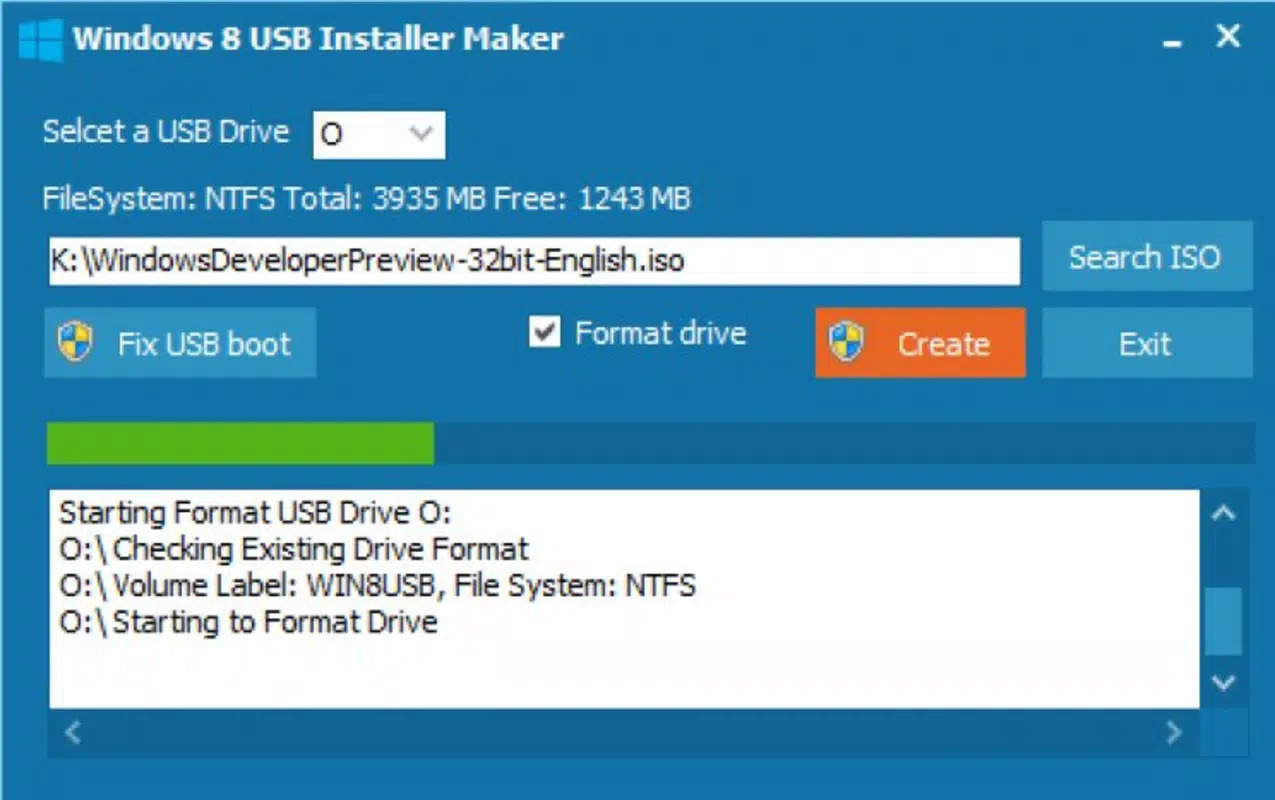
- Pen Drive Conversion to NTFS: The tool automatically formats the selected USB drive to the NTFS file system, which is required for Windows 8 installation. This ensures compatibility with the operating system’s installer, which does not support FAT32 for large installation files.
- ISO Extraction: All necessary installation files from the provided ISO image are extracted and copied to the USB drive. This step guarantees that the entire Windows 8 installation package is available locally, enabling a smooth and uninterrupted setup process.
- MBR Writing: The application writes the Master Boot Record to the USB device, which is essential for BIOS-based systems to recognize and boot from the drive. This feature ensures that the computer can initiate the Windows 8 installation sequence from the USB installer.
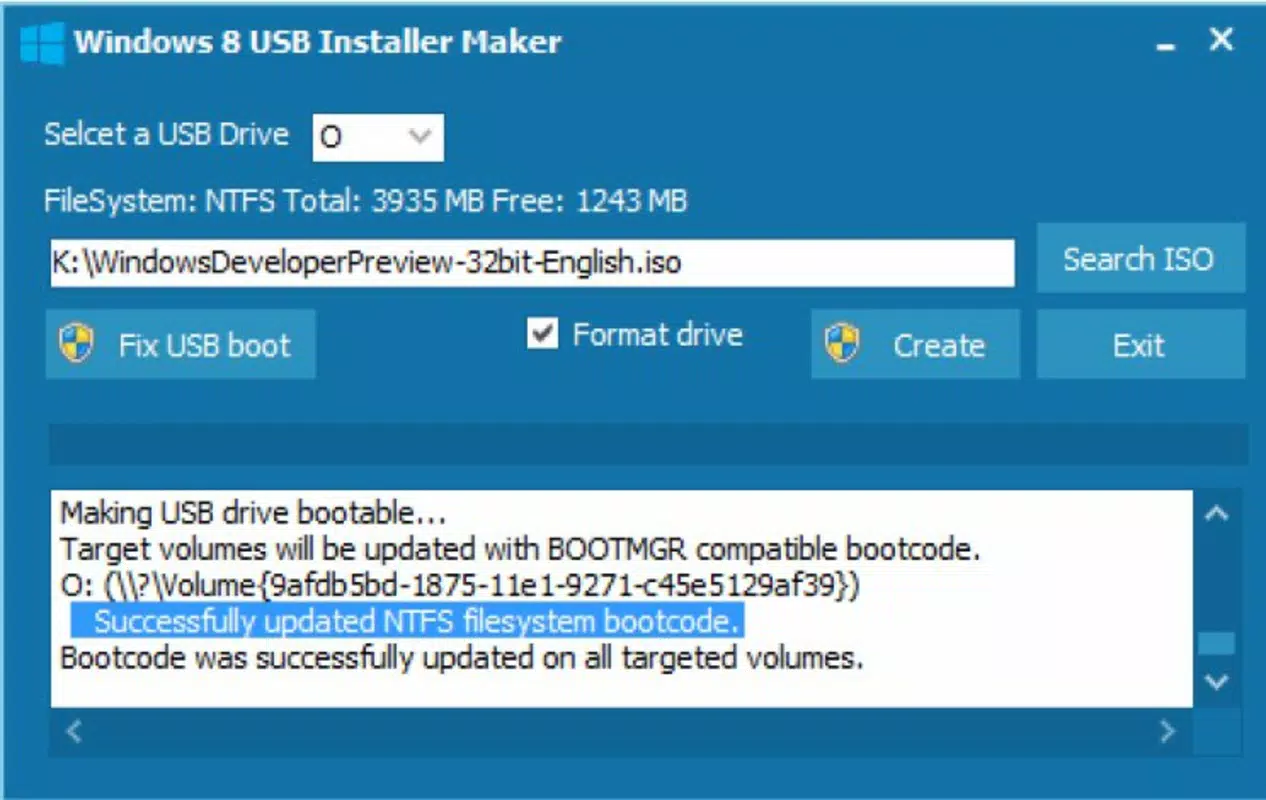
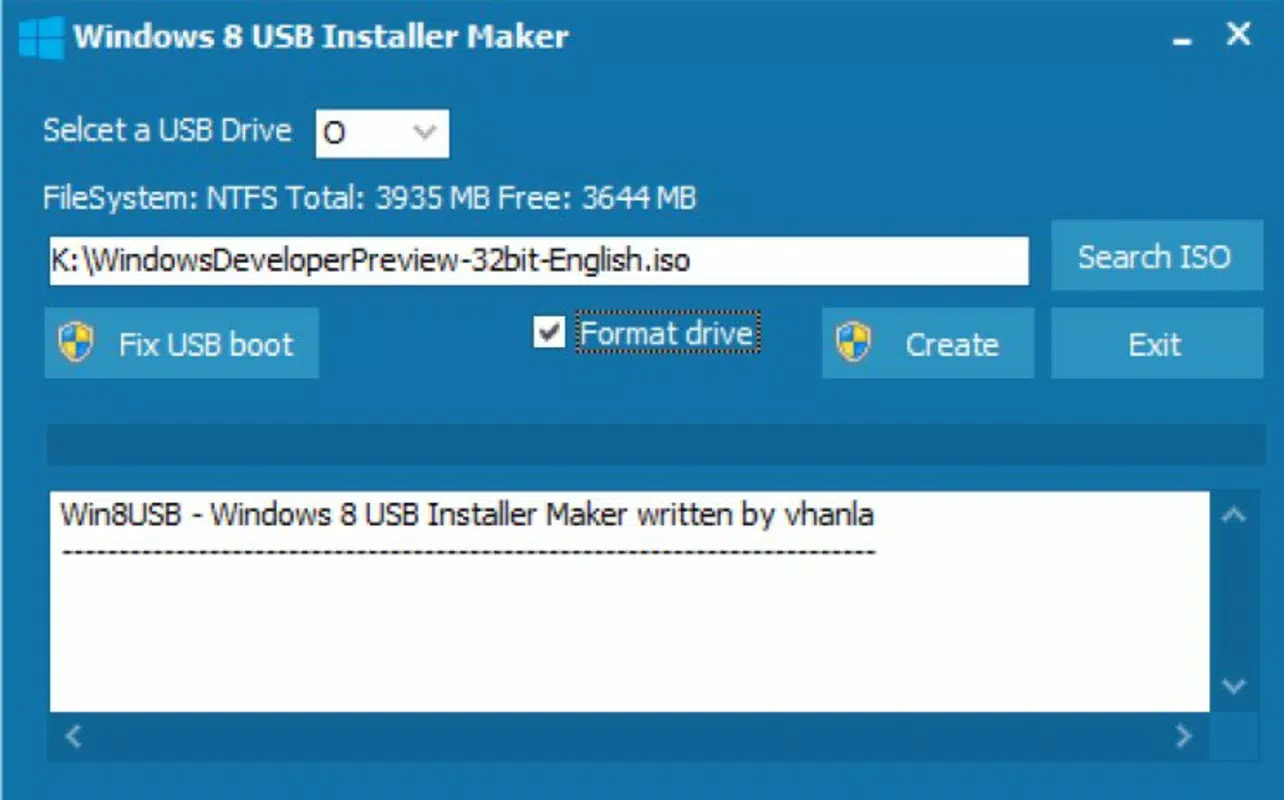
- User-Friendly Process: The workflow is intentionally simple: connect a USB drive, run the executable with administrator privileges, select the drive and ISO file, then click 'create'. This minimalistic interface reduces the learning curve for non-technical users.
- BIOS Boot Drive Modification: After the USB is prepared, users are required to restart their PC and manually adjust the BIOS boot order to prioritize the USB device. This final step ensures that the system boots from the newly created installer.
These features work in sequence to transform a standard USB drive into a fully functional installation medium. For example, a user recovering a failed system can use this tool to create a portable installer and perform a clean Windows 8 installation without external dependencies.
Interface, UX & Performance
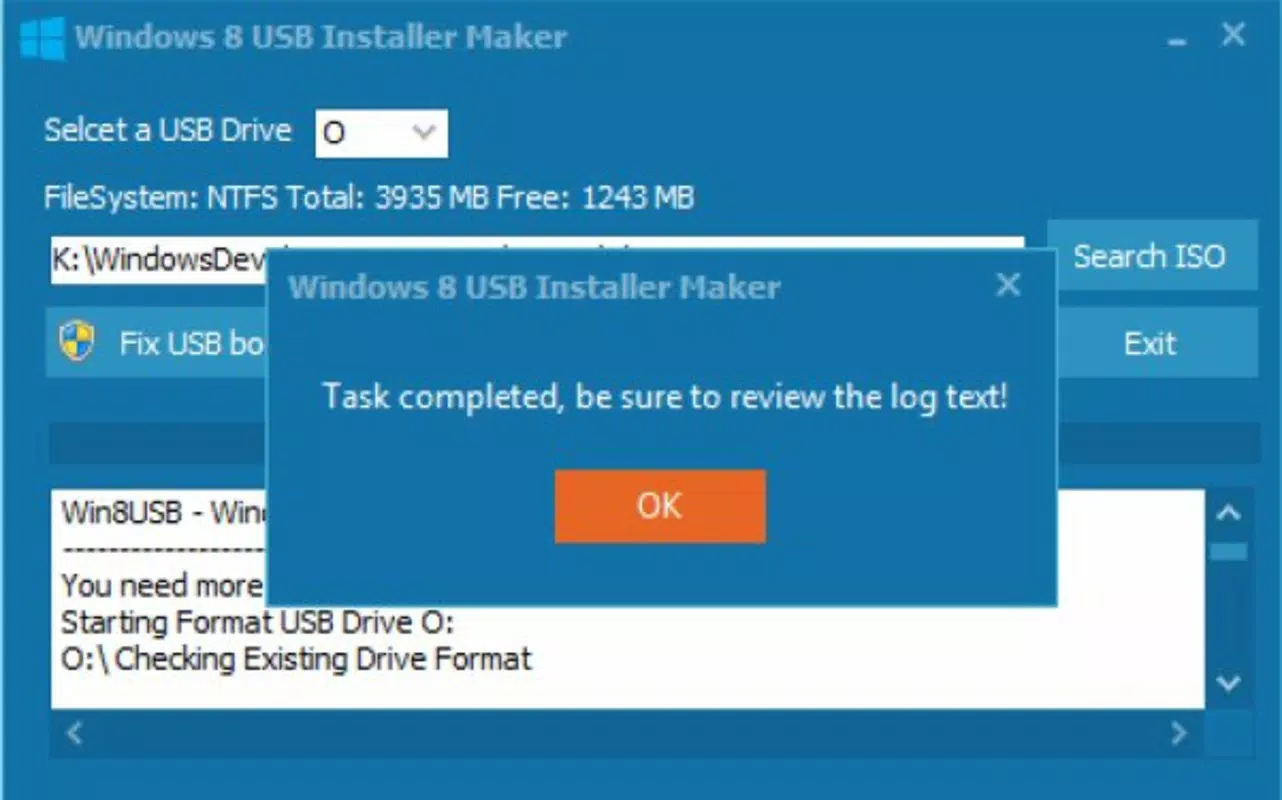
The user interface of Windows 8 USB Installer Maker is minimalistic and task-focused, reflecting its utility-driven design. The application presents a clean, no-frills layout with essential controls: a drive selection dropdown, a file browser for the ISO, and a single 'create' button. This simplicity enhances usability, especially for users with limited technical experience.
Navigating the tool requires only a few steps, with clear visual cues guiding the user through each stage. The process is linear and predictable, minimizing the risk of user error. Although the developer did not list formal performance metrics, the tool operates efficiently within standard Windows environments, completing the USB creation process in a reasonable timeframe based on the size of the ISO and the speed of the USB drive.
Responsiveness is maintained throughout the operation, with the interface remaining accessible during file transfer and MBR writing. The application does not consume excessive system resources, allowing users to continue other tasks while the installer is being built. Stability appears consistent, as the tool completes its intended function without reported crashes or data corruption in its documented workflow.
Although the developer did not specify minimum OS requirements or compatibility with different Windows versions beyond the platform, the tool functions as intended on supported systems. The absence of advanced settings or customization options suggests a focus on reliability over flexibility, which aligns with its core purpose.
Platform Compatibility & Technical Requirements
Windows 8 USB Installer Maker is designed exclusively for the Windows operating system. It is compatible with all versions of Windows that support the execution of .exe files, though specific compatibility details were not provided by the developer.
The application has a file size of 2.3 MB, making it lightweight and quick to download and install. It requires a USB flash drive with sufficient storage capacity to hold the full Windows 8 ISO image, typically at least 4 GB. The tool does not specify minimum RAM or processor requirements, nor does it list exact OS version compatibility beyond the platform.
Although the developer did not specify minimum OS requirements, the application is expected to run on modern Windows systems, including Windows 10 and Windows 11, as long as they support legacy executable execution. The absence of a formal installation package suggests it is a portable tool that runs directly from the .exe file without registry modifications.
Pros and Cons
Pros
- Free to download and use, making it accessible to all users.
- Lightweight at only 2.3 MB, ensuring fast downloads and minimal storage impact.
- Simple, step-by-step process suitable for beginners and non-technical users.
- Creates reliable, bootable USB installers for Windows 8.
- Supports standard USB drives with proper formatting and file system conversion.
Cons
- Only supports Windows platform; no availability for macOS or Linux.
- Requires administrator privileges to execute, which may limit use in restricted environments.
- Does not support newer Windows versions beyond Windows 8.
- No built-in verification or error-checking after creation.
- Manual BIOS configuration required post-creation, which may be challenging for some users.
FAQ
Is Windows 8 USB Installer Maker safe to download and use?
The tool is distributed as a standalone .exe file and is free from known malware. However, users should always scan downloaded files with up-to-date antivirus software before execution.
Can I use this tool to install Windows 10 or Windows 11?
No, the tool is specifically designed for Windows 8. It does not support newer operating systems.
Do I need to format my USB drive before using the tool?
Yes, the tool automatically formats the selected drive to NTFS during the process. However, ensure all important data is backed up, as formatting will erase existing content.
What should I do if the USB drive doesn’t boot on my computer?
Ensure that your computer’s BIOS is configured to boot from USB. You may need to access the boot menu during startup or adjust the boot order in BIOS settings.
Is the tool compatible with Windows 10 or Windows 11?
While the developer did not specify compatibility details, the tool is expected to run on Windows 10 and Windows 11 systems, as they support legacy .exe execution. However, no official confirmation was provided.
Final Thoughts
Windows 8 USB Installer Maker delivers a focused, reliable solution for users needing to create a bootable USB installer for Windows 8. Its straightforward interface, efficient workflow, and lack of unnecessary complexity make it a valuable tool for system recovery, deployment, and maintenance tasks. While it serves a specific niche and does not support modern Windows versions, its purpose is fulfilled with precision.
For users maintaining older systems or managing legacy hardware, this utility offers a secure, free, and effective way to prepare installation media without relying on outdated methods. The tool’s lightweight nature and minimal resource usage further enhance its appeal.
Download Windows 8 USB Installer Maker now


